
Every call, every decision, one calm record.
Ordo is the event control log built by people who run event control. Your team logs in seconds, sees the whole site live, sends the nearest officer and leaves the day with a report you can put in front of the SAG, the police or a court.
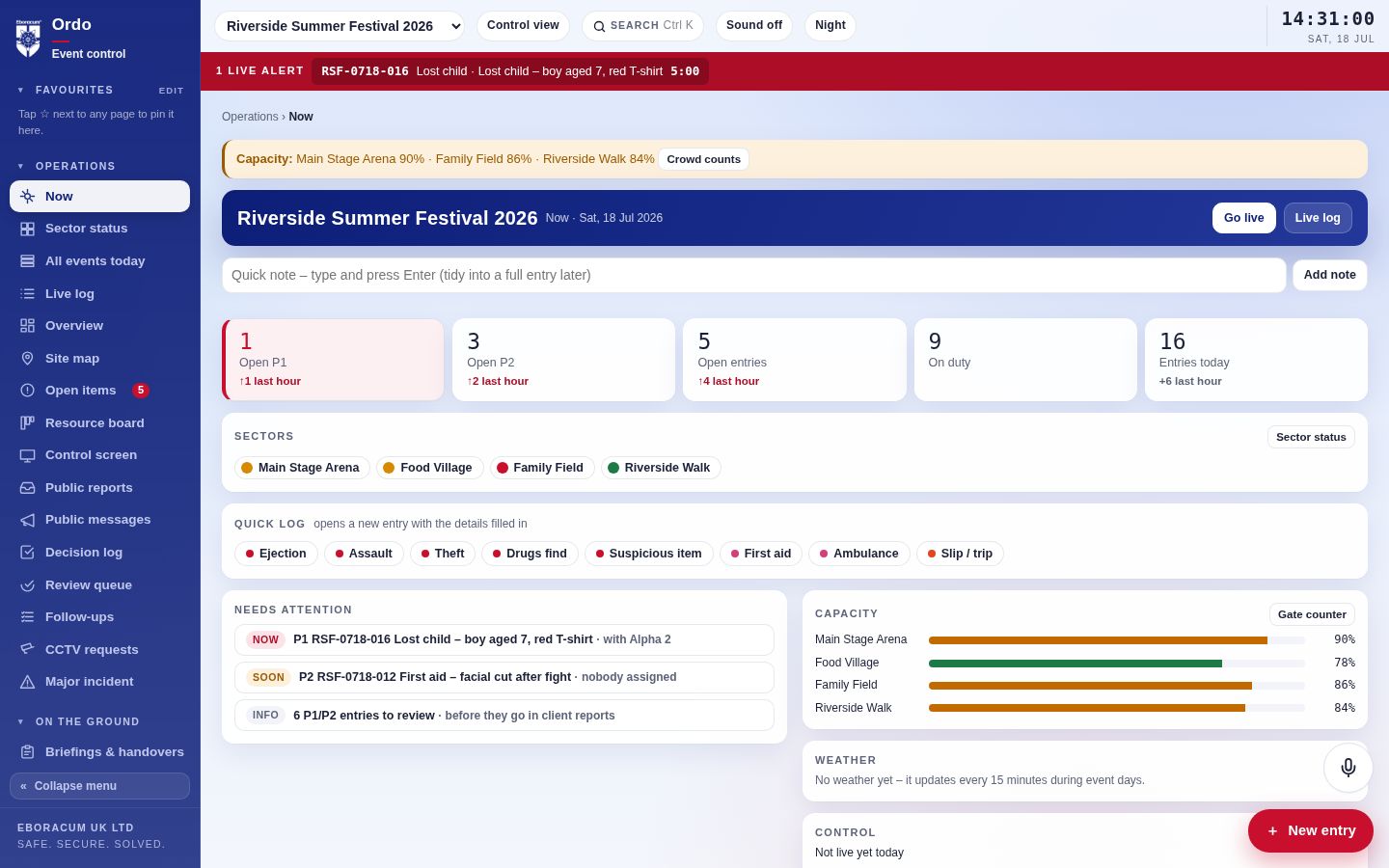
A day in control at a summer festival
Follow one busy day at Riverside Summer Festival, a sample event, from the pre-opening walk to the close-down report. Every screen below is Ordo with a realistic day's log. Tap any picture to see it full size.
Built for the person on the ground, too
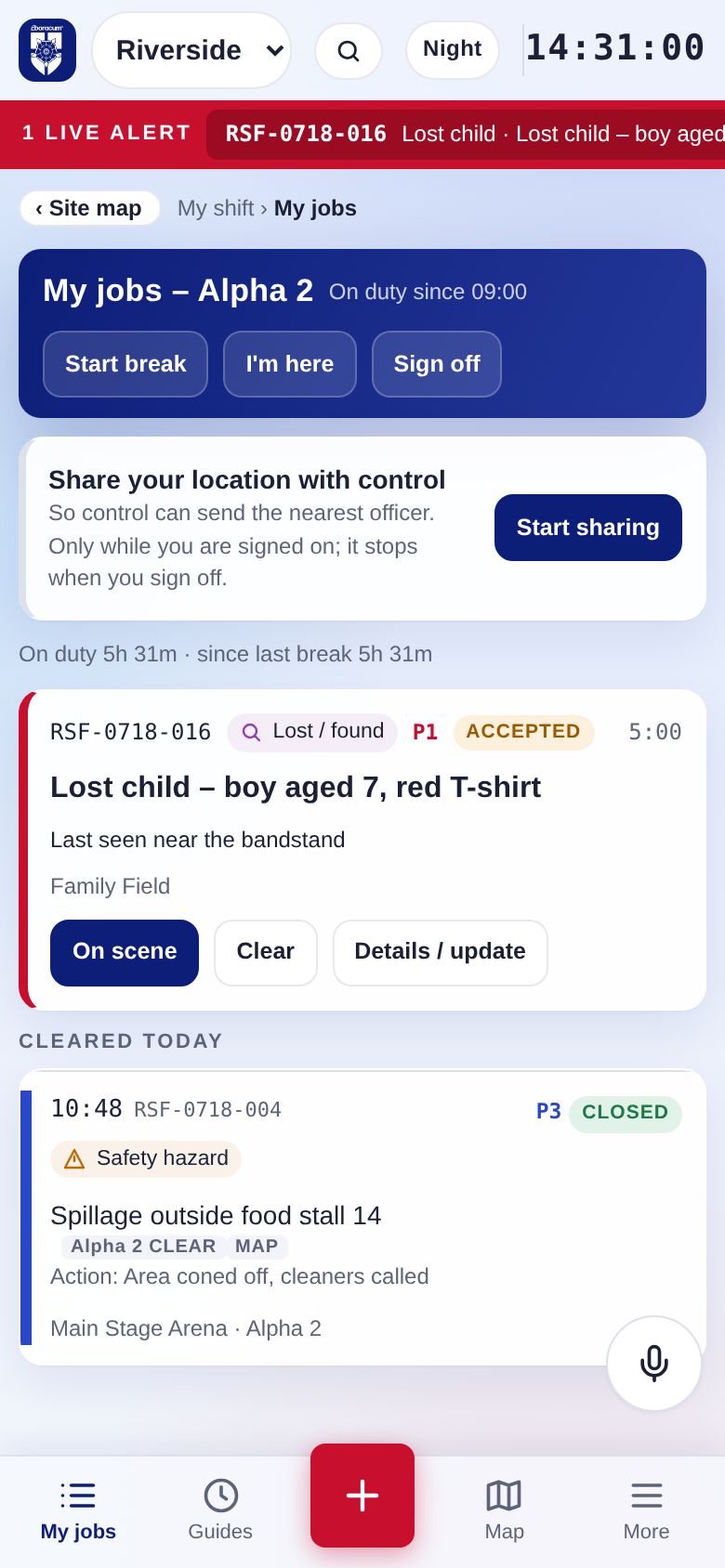
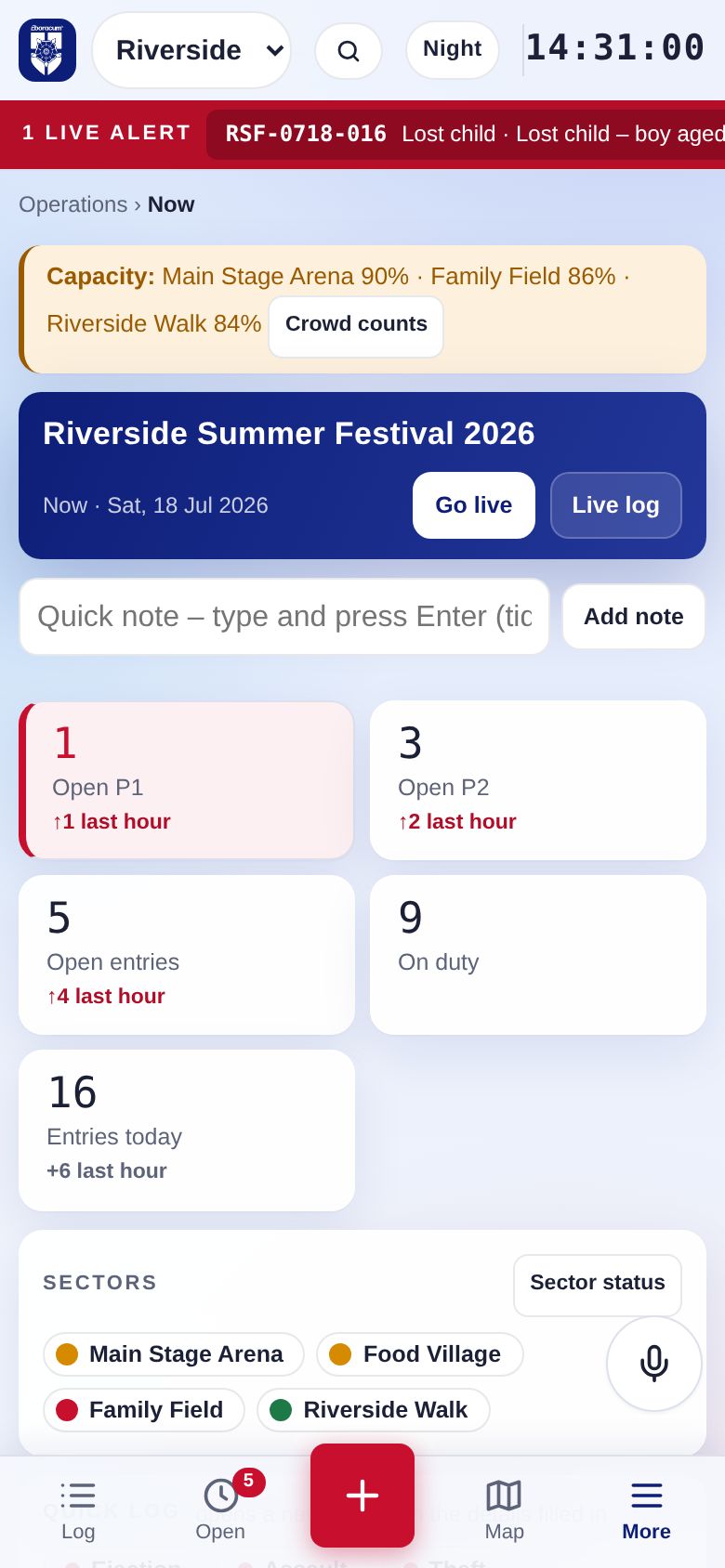
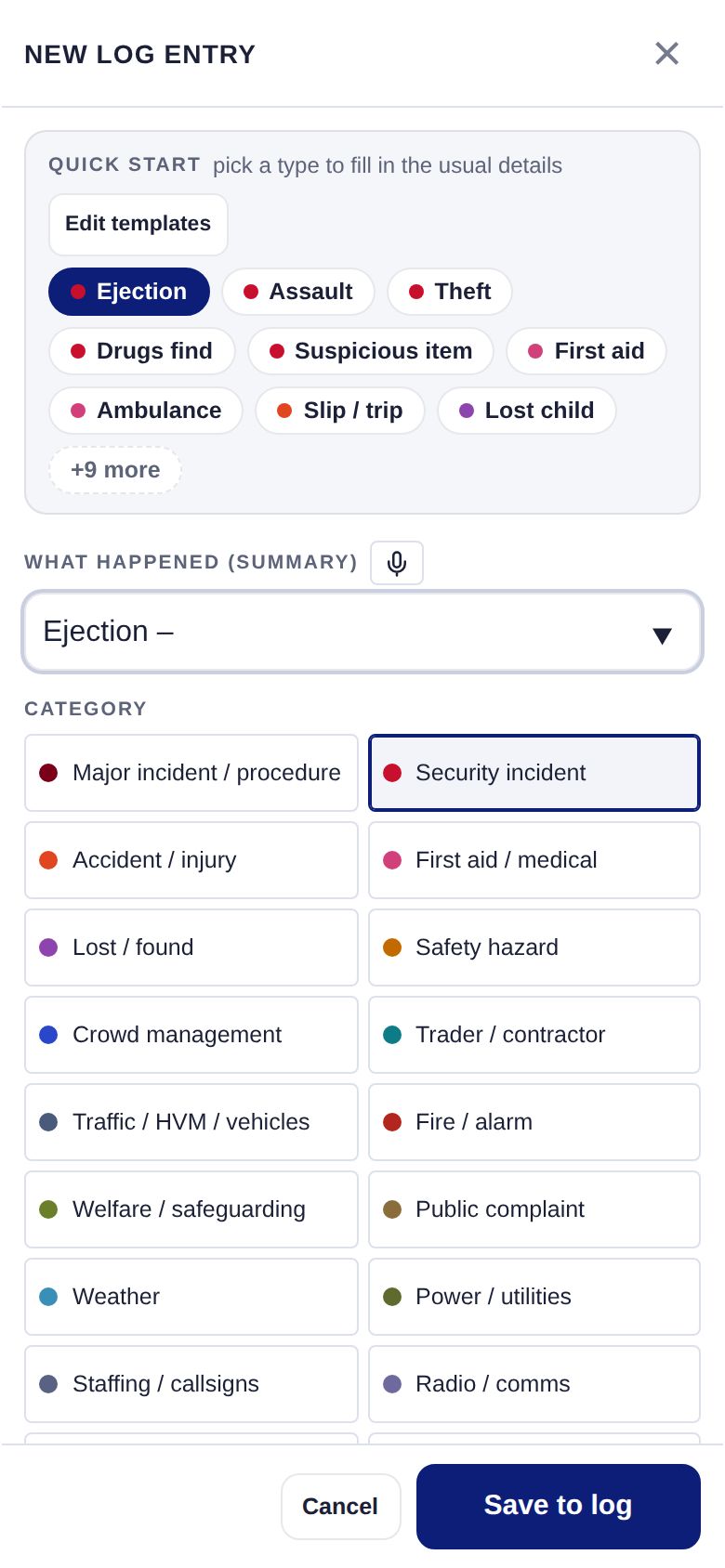
Supervisors and stewards use the same Ordo on their phone. Big buttons, one-tap templates, their own job list, and nothing to install.
Easier for the controller. Stronger for the business.
Less typing, fewer surprises
- Know what needs you now
- The Now page puts open P1s, unassigned jobs, overdue responses and full zones at the top. Nothing waits for someone to notice it.
- Log as fast as the radio
- Templates, quick notes, voice entry and duplicate warnings mean the log keeps up when the channel is busy.
- Hand over cleanly
- Handover records, open-item lists and a review queue mean the next controller starts with the full picture.
- Night mode for long shifts
- A low-glare theme for late finishes in a dark control room.
A record you can stand behind
- Evidence, not just notes
- Every entry is time-stamped and attributed. Corrections are added as updates or voids with a reason, so the record holds up at a debrief, an insurance claim or an inquest.
- Proof of performance
- Response times by priority and callsign, year-on-year comparison and incident rates per 1,000 attendees. Useful for client reviews and tenders.
- Share without losing control
- Clients see only what you release. Police and SAG get time-limited, read-only links that you can revoke.
- One system for every event
- Markets, festivals, sport, parades, nightlife. Run several events at once and see them all on one page.
Every area of Ordo
Each part works on its own and with the rest, in one place.
Operations
- Now pageWhat needs attention, live counts and trends
- Live log and timelineFilters, chips, search, table or timeline view
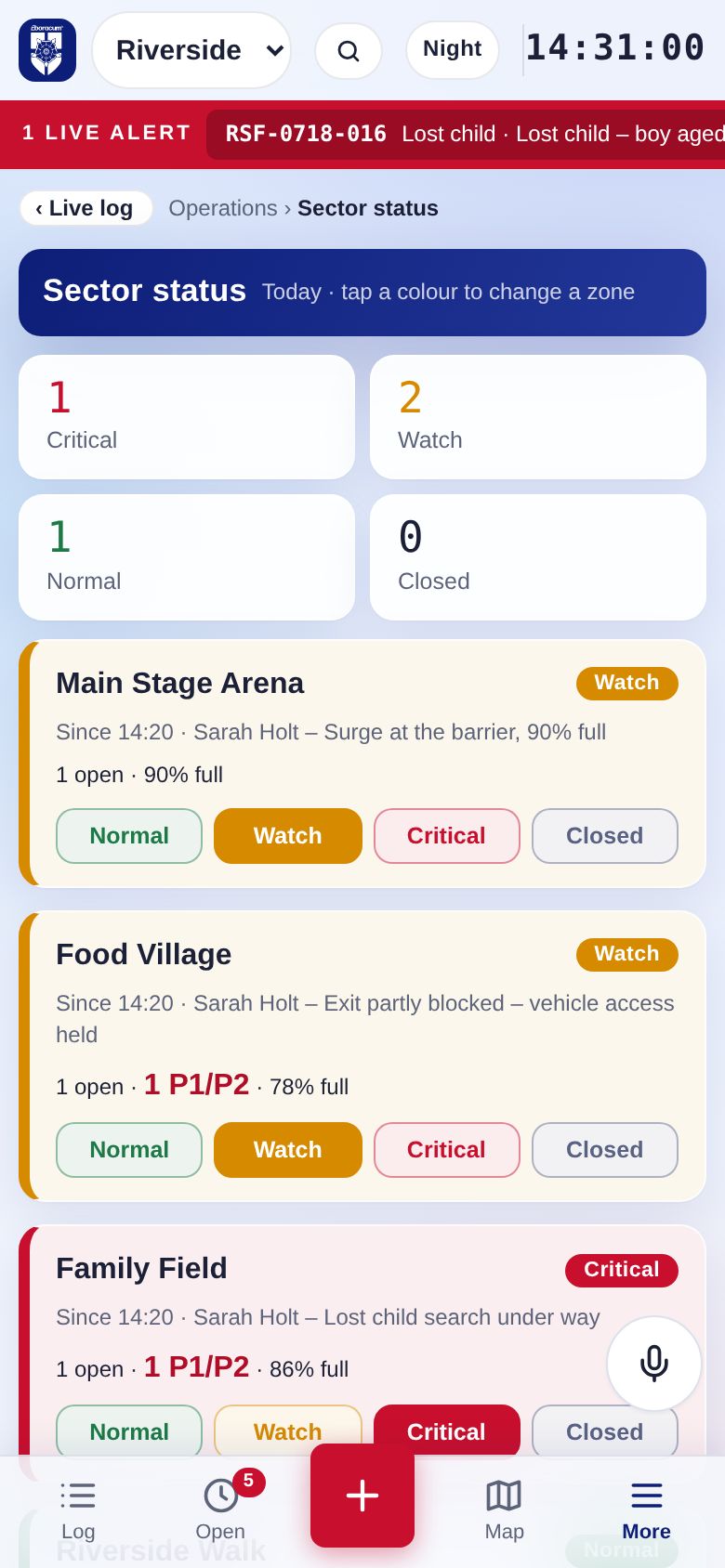
- Sector statusGreen, amber, red or closed for each zone
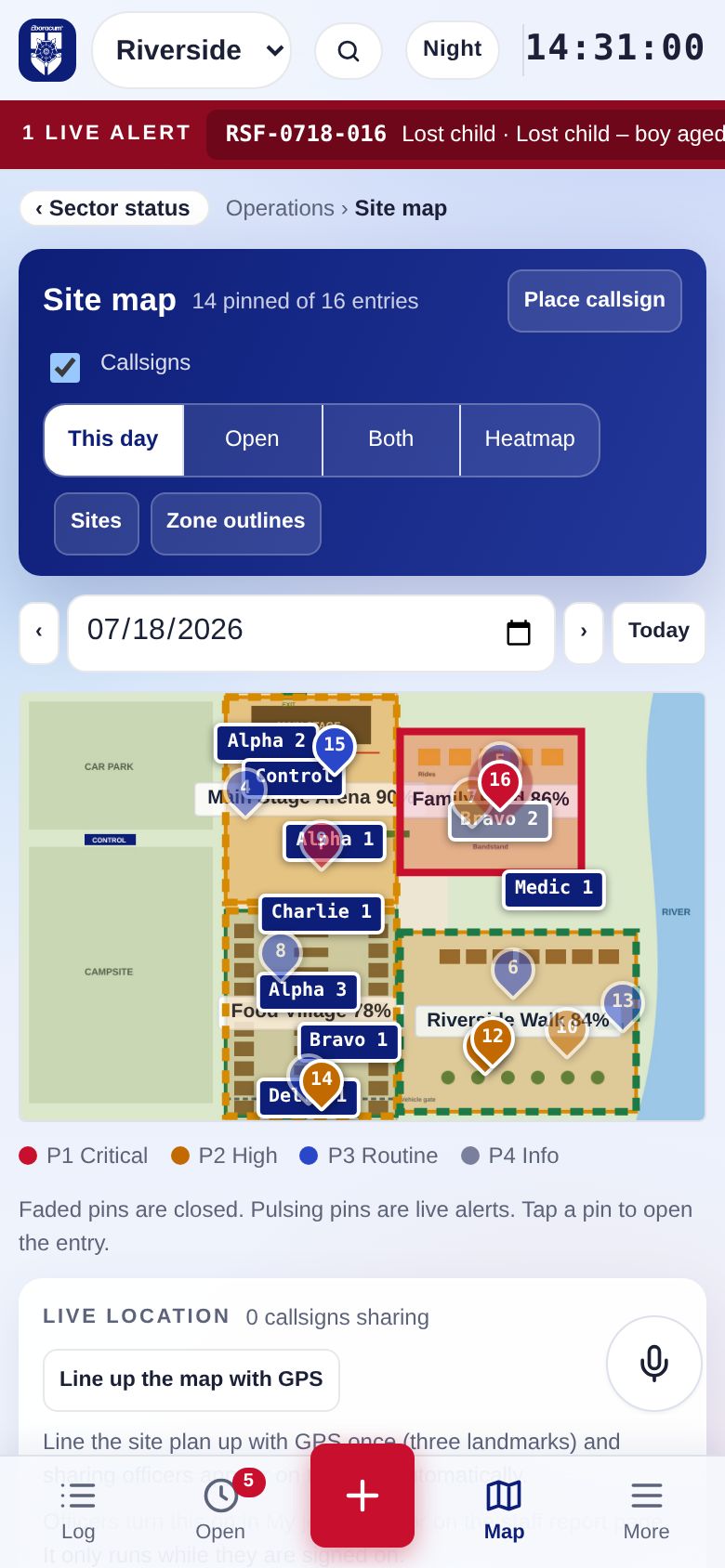
- Site map and heatmapPinned incidents, zones, callsigns and hotspots
- Open items and review queueSupervisor sign-off on P1/P2 entries
- Public reports and messagesQR report form and a public information page
People and resources
- Callsigns and resource boardAvailable, en route, on scene, on break
- Officer phone viewMy jobs, accept, on scene, clear
- Live locationOptional GPS while signed on
- Rostered staffImport from Zoho Shifts
- Briefings and handoversAccepted and signed
- Equipment, radios and vehiclesWho has what, and what is out
Safety and crowd
- Crowd counts and gate counterCapacity alerts at levels you set
- Checks and inspectionsChecklist library with photos
- Missing and found peopleLost child procedure and lost property search
- Major incidentMETHANE message and procedure cards
- Weather triggersWind and rain actions
- Traders and contractorsCompliance documents and issues
Decisions and evidence
- Decision logDecision, rationale, options and maker
- Linked incidentsOne story across several entries
- CCTV requests and evidence chainBWV, stills and statements
- Follow-upsOwner and due date for each task
Sharing
- Client viewReleased entries only, with the client's branding
- Partner accessTime-limited links for police, ambulance and SAG
- Control screenA big-screen view for the control room
- All events todayEvery running event on one page
Reports and learning
- Daily report PDFLog, decisions, counts and photos
- Event plan (SAG) PDFBuilt from your setup
- PerformanceResponse times, compare events, trends
- Debrief and client surveyLessons learned, ready for next year
- Rehearse modeTraining scenarios with injects
Designed around the audit trail
Saved entries can't be edited or deleted. Changes are added as updates or voids, each with the time, the person and a reason.
Eboracum staff, client editors and client viewers each see only what their role allows. The roster appears to clients only once you confirm it.
Entries made without signal wait on the device and send themselves when it reconnects. Push alerts reach phones for P1s and lost children.
See Ordo on your next event
Tell us about your event and we'll set up a demo with your own site plan and zones. Your control team can rehearse with it before the gates open.
Eboracum UK Ltd · Popeshead Court Offices, Peter Lane, York YO1 8SU · 01904 295570
SIA Approved Contractor · SafeContractor accredited